
 March 9, 2026
| By
March 9, 2026
| By February brings a new set of updates to Teams for personal use, focused on making it easier to stay connected, collaborate in the moment, and manage the people and content that matter most. From new ways to organize contacts to richer real‑time collaboration in chat, these improvements help streamline everyday communication and keep everything in one place.
People app
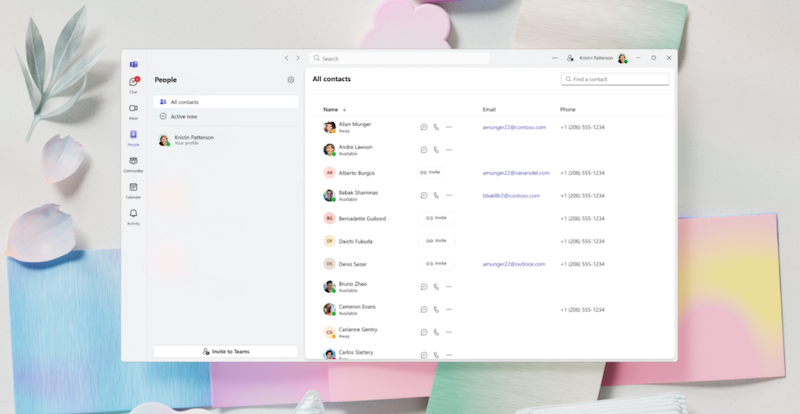
People app is now available in Teams Free, making it easier to organize and connect with all your contacts in one place. The new People app brings together contacts from Teams and other sources into a single, streamlined view, so you can quickly find people, see their status, and start a chat or call without leaving Teams. You can also manage your own profile details and control how you appear to others, helping you stay connected and in control across desktop and web.
Loop components in Teams
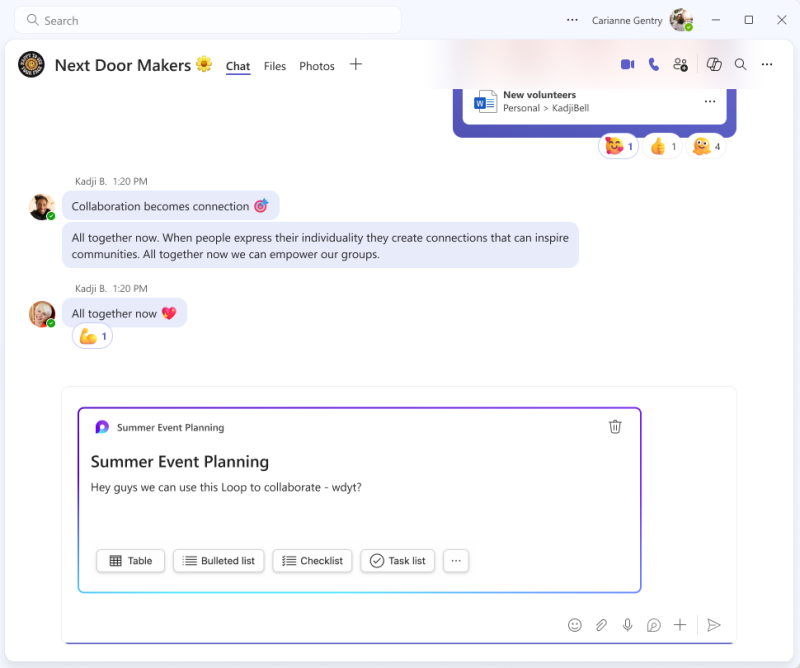
Loop components are now available in Teams Free, enabling real‑time collaboration directly within chat. Teams users can co‑create and edit content like lists, tables, checklists, and task lists inline, with changes visible instantly to everyone in the conversation. By keeping shared content live and up to date inside chat, Loop components help reduce context switching and make it easier to brainstorm, organize work, and track action items together—without leaving Teams.
Learn more about Loop components in Teams
You share, we listen.
We are always grateful to receive your feedback and suggestions to make Teams better.
- Report bugs and glitches by sending us relevant feedback using the in-app form. Please include diagnostic logs and screenshots to help us to investigate your issue. Learn more how to send feedback or suggest a feature in Teams Free
- If you have suggestions for new features or changes to the existing ones, you can vote and submit ideas on Microsoft Teams Free Feedback Portal.
- In Teams Insider Community you can share feedback and engage directly with the product team. You can also join regular calls to hear about upcoming improvements and more. Learn more and join Teams Insider Community