
 December 16, 2025
| By
December 16, 2025
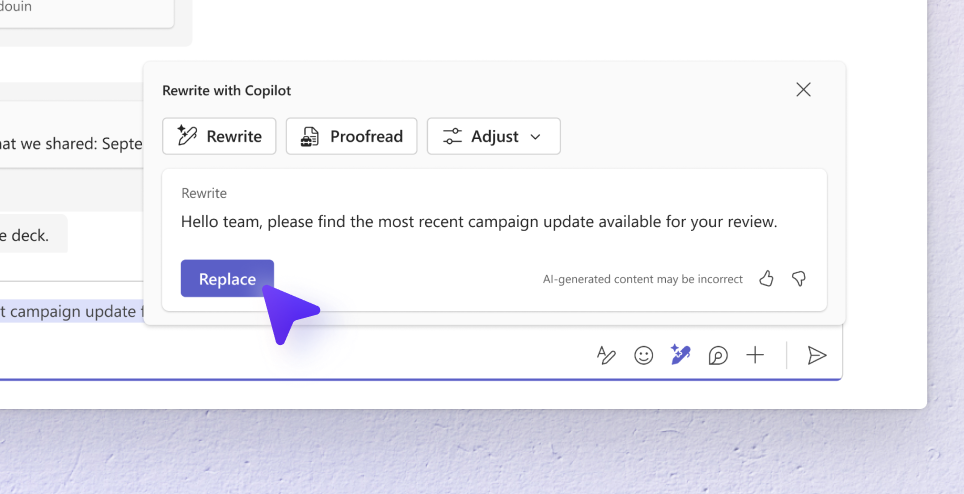
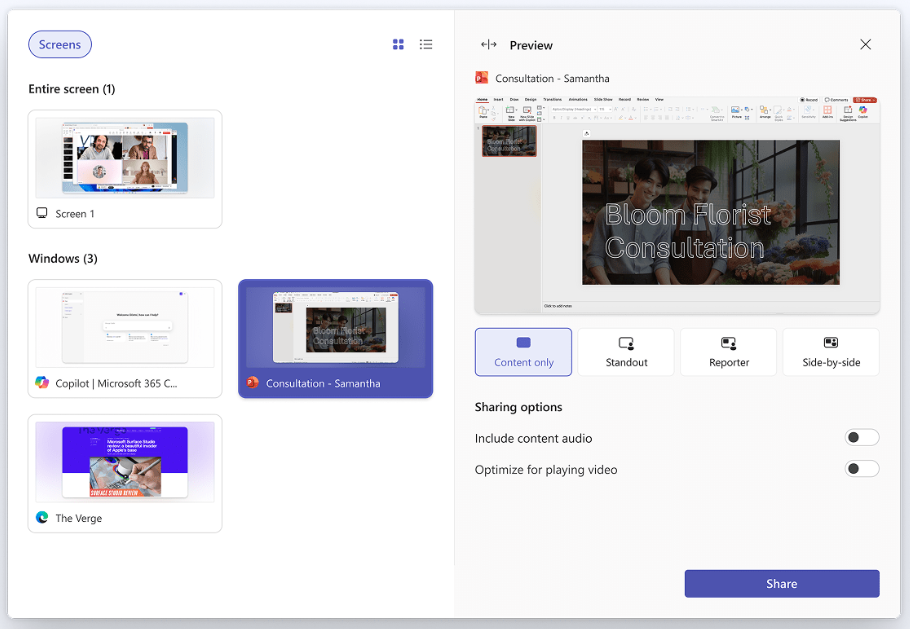
| By November was a big month for Teams, packed with exciting feature releases—including the long‑awaited ability to record meetings and calls when using Teams with a personal Microsoft account. We also introduced Copilot-powered rewrite in the chat composer, making it effortless to refine your messages before sending, and a refreshed screen‑sharing experience that makes selecting and previewing what you want to share more intuitive than ever. Read on for the full rundown.
Meeting and call recording
The recording feature is now available for Microsoft 365 Personal, Microsoft 365 Family or Microsoft 365 Premium subscribers in Teams, making it simple to capture and revisit your calls and meetings. Recording in Teams ensures you never miss critical details – whether for collaboration, or catching up later. With just one click, you can record your session and access it securely in the cloud for up to 30 days. Learn more in the recent blog post.

Rewrite with Copilot
Start typing your message, and Rewrite with Copilot to help you refine your tone. Want to sound professional or funny? Just choose your style and let AI do the work. This feature makes it easy to adjust messages to match your intent. You need a Microsoft 365 Personal, Family or Premium subscription to use this feature. Learn more in the related support article.
Improved screen sharing experience
You can now enjoy a refreshed screen sharing interface with preview capabilities, window selection in tile or list view, and quick toggles for system audio and video optimization—making sharing clearer and more controlled.
Call back from Activity Feedback
Missed a call? Easily call back the person who called you, for a smoother calling experience on desktop and web.
You share, we listen.
We are always grateful to receive your feedback and suggestions to make Teams better.
- Report bugs and glitches by sending us relevant feedback using the in-app form. Please include diagnostic logs and screenshots to help us to investigate your issue. Learn more how to send feedback or suggest a feature in Teams Free
- If you have suggestions for new features or changes to the existing ones, you can vote and submit ideas on Microsoft Teams Free Feedback Portal.
- In Teams Insider Community you can share feedback and engage directly with the product team. You can also join regular calls to hear about upcoming improvements and more. Learn more and join Teams Insider Community