

 August 19, 2026
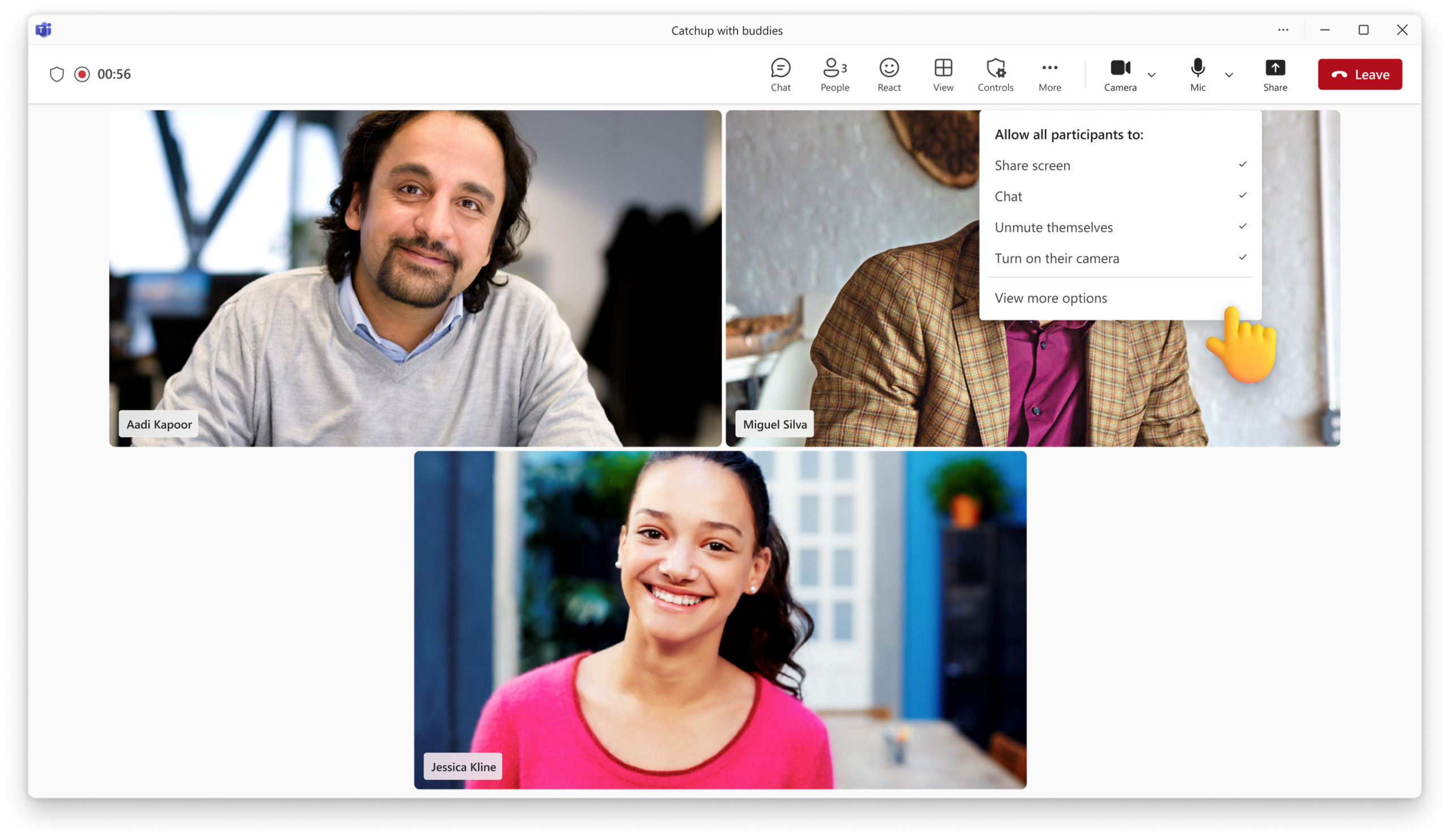
With the new meeting options, available for Microsoft 365 subscribers in Microsoft Teams, you decide how people join, share, and interact, before and during every meeting. Before and during the meeting, you can set who can unmute, chat, share and react, then adjust those controls live without ever leaving the meeting. You get more control over how people participate — creating safer, more productive meetings.
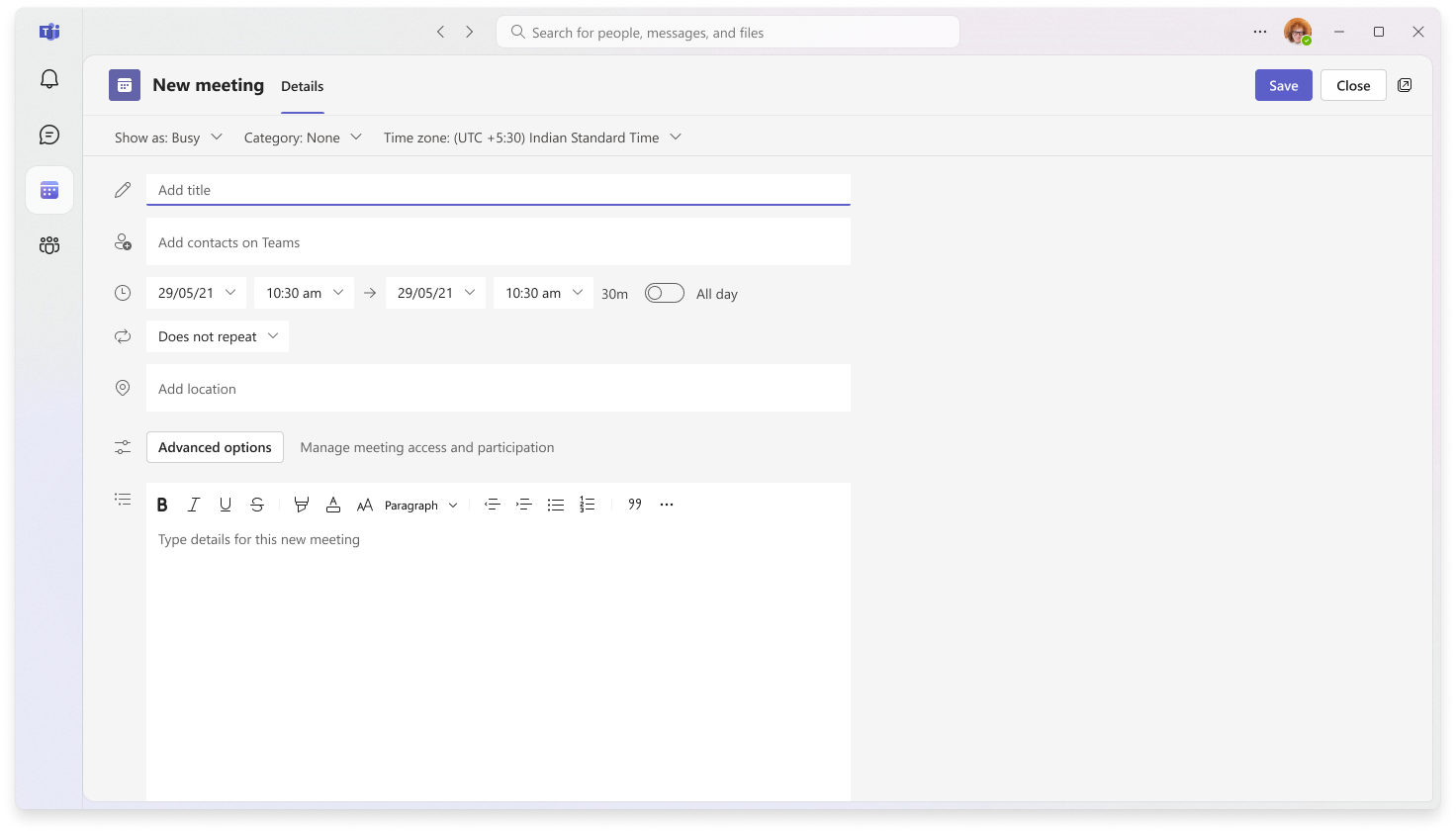
To get started, access meeting options through the ‘Controls’ button in the meeting toolbar, or via ‘Advanced options’ when scheduling your meeting.
What’s New for Microsoft 365 Subscribers
Meeting options help you stay in control of your meetings and how they run. As a host, you can:
- Manage how participants communicate during meetings
- Reduce disruptions by controlling audio, video, chat, and reactions
Run Meetings Your Way
Control Participant Interactions
Enable or disable key meeting capabilities like unmuting, chat, video, and reactions to create the right environment for your meeting.
Real-time Meeting Controls
Controls You Already Have (Still Available for Free)
These core meeting settings continue to be available to all users through Advanced options:
- Who can share their screen
- Who can bypass the lobby
Get Started Today
You share, we listen.
- Report bugs and glitches by sending us relevant feedback using the in-app form. Please include diagnostic logs and screenshots to help us to investigate your issue. Learn more how to send feedback or suggest a feature in Teams Free
- If you have suggestions for new features or changes to the existing ones, you can vote and submit ideas on Microsoft Teams Free Feedback Portal.
- In Teams Insider Community you can share feedback and engage directly with the product team. You can also join regular calls to hear about upcoming improvements and more. Learn more and join Teams Insider Community